API Dash on iPhone
There's no App Store app, because Apple only accepts real-money gambling apps from licensed casinos. API Dash runs in Safari instead, through the free Userscripts app. Setup takes about five minutes, and you only do it once.
Set it up
-
Install Userscripts
It's free on the App Store, by Justin Wasack. Open it once: it makes its own folder in Files, under On My iPhone › Userscripts.
-
Turn it on in Safari
Settings › Apps › Safari › Extensions › Userscripts (on iOS 17 or older: Settings › Safari › Extensions › Userscripts). Switch on Allow Extension and set All Websites to Allow.
Why all websites? Your dashboard comes from the API Dash licence server, which is a different website from the casino, and Safari only lets Userscripts reach sites it's allowed on. API Dash itself only runs on stake.us, stake.com, nuts.gg, winna.com and rainbet.com. -
Open the loader in Safari
Scroll to the bottom of this page and tap Install the loader. Safari opens the loader as plain text. That's what should happen, you don't need to read it.
-
Open the extensions menu
With the loader showing, tap the extensions (puzzle-piece) icon next to the address bar. On most iPhones it sits at the bottom left; if your address bar is at the top, look for it up there.
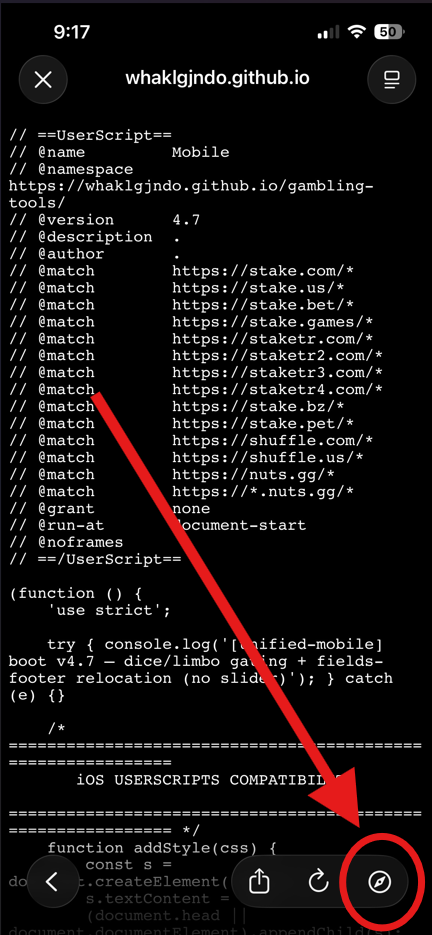
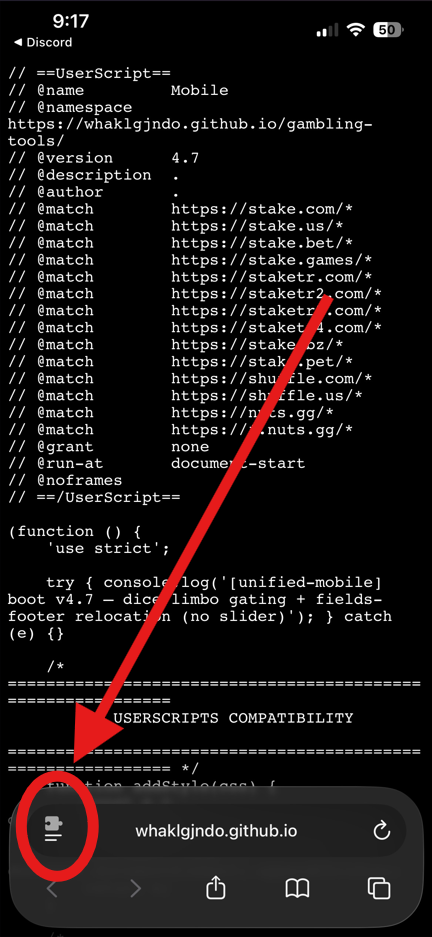
-
Choose Userscripts
In the menu that pops up, tap Userscripts.
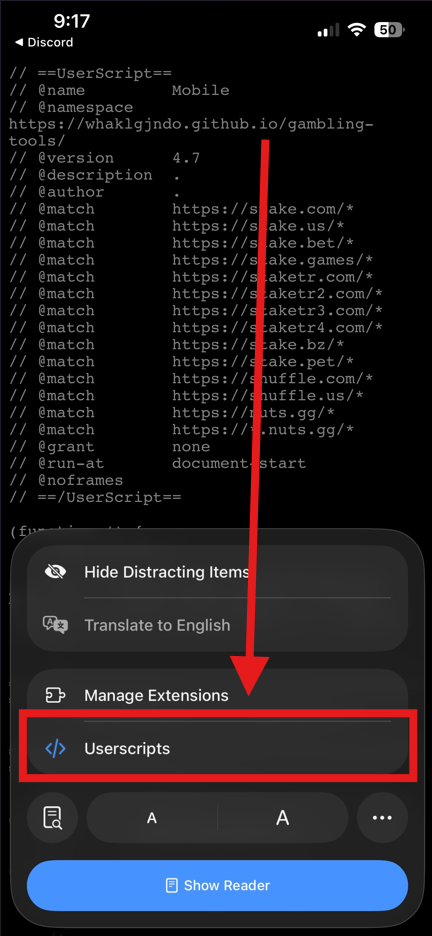
-
Tap "Tap to install"
The Userscripts panel opens with a yellow Userscript Detected, Tap to install banner. Tap it.
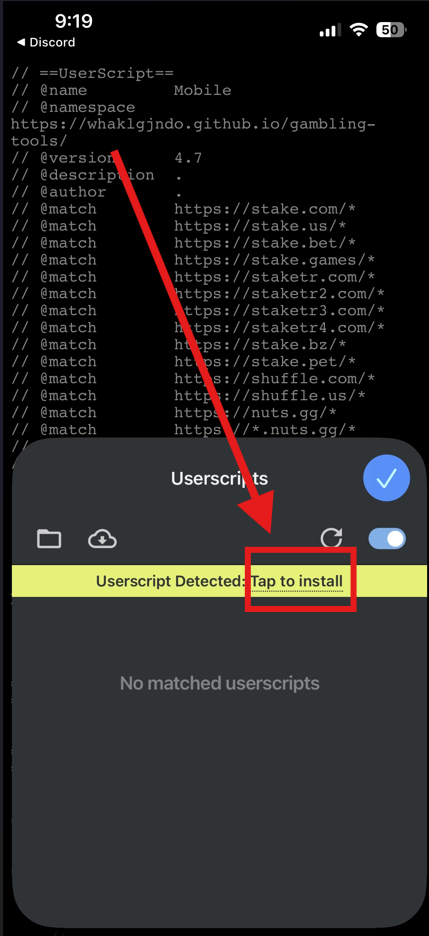
-
Slide up, then tap Install
On the install sheet, press and slide up to reveal the buttons, then tap Install. A green Userscript Installed banner means it worked. Tap the blue checkmark to close the panel.
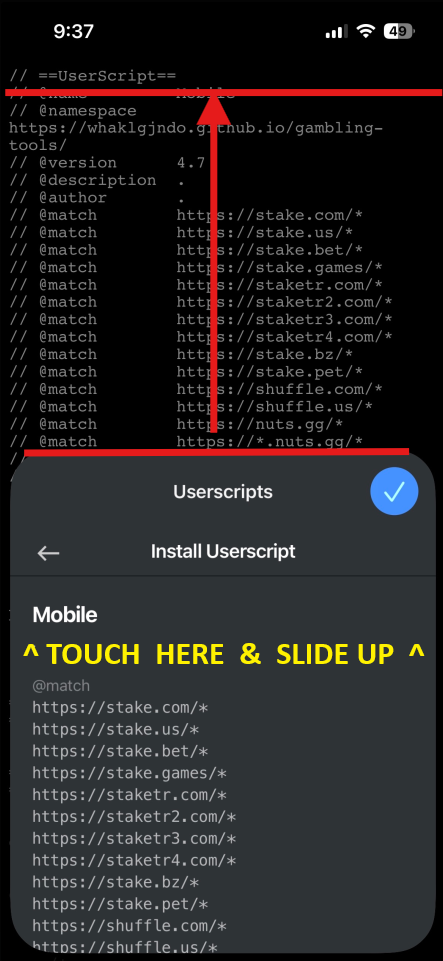
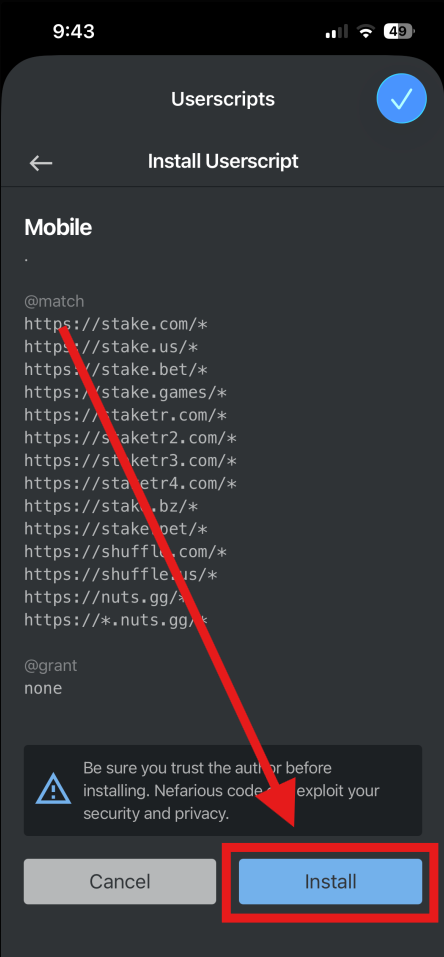
The pictures are from the free Gambling Tools bundle, which installs the same way. Yours says API Dash.
-
Open the casino and paste your key
Open stake.us, stake.com, nuts.gg, winna.com or rainbet.com in Safari. A sheet asks for your key the first time. Paste it and tap Save key.
Good to know
Download the loader
No install banner? Download the file instead and, in the Files app, move it from Downloads into On My iPhone › Userscripts.